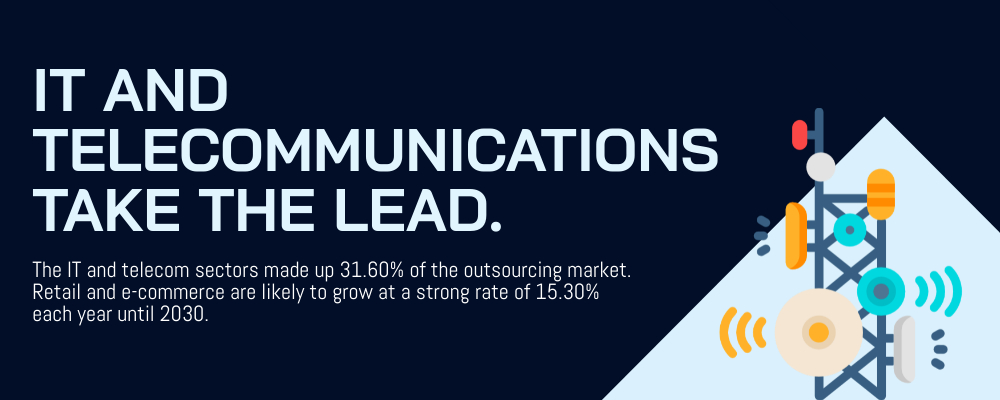
In 2026, the IT outsourcing industry is on track for significant growth. According to Statista, the global IT outsourcing market is projected to reach US$806 billion by 2029. According to Gartner, global IT spending is forecast to hit $5.74 trillion in 2026, up 9.3% from the previous year. With growth like this, having a trusted BPO partner can make a real difference for businesses around the world. Outsourced IT support teams bring the skills, experience, and infrastructure to match changing business needs.
Like other business operations, outsourced IT services come with both benefits and trade-offs. Business owners need to carefully evaluate whether it’s the right move for them. This guide walks you through the fundamentals: what IT support outsourcing is, what it covers, how much it costs, and how to choose the right provider.
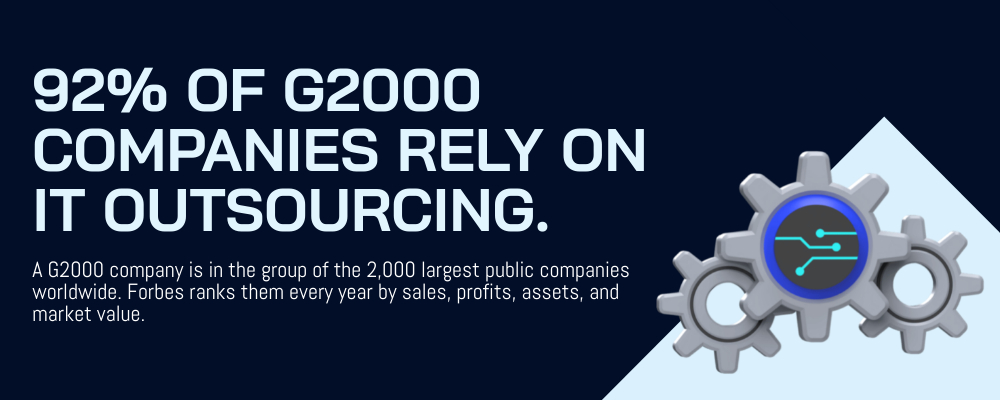
Outsourced IT support is the practice of contracting a third-party provider to manage some or all of your IT functions, including help desk, network monitoring, cybersecurity, and cloud services. Businesses that make this move typically see cost savings of 40-70% compared to maintaining an in-house team, while gaining access to 24/7 coverage and a broader range of technical expertise. According to the Deloitte Global Outsourcing Survey, 76% of organizations already rely on IT outsourcing in some form.
What Is Outsourced IT Support?
Outsourced IT support involves contracting a third-party provider to oversee, monitor, and assist an organization’s technological infrastructure. This includes everything from help desk services to network security and cloud computing. The strategy is more affordable than building an in-house IT team and allows for round-the-clock access to specialized skills.
Outsourced IT support vs. managed IT services: what’s the difference?
Managed IT services provide full, proactive support for your IT systems. With a consistent monthly fee, it acts as an extension of your team to prevent and troubleshoot problems. Outsourced IT support is often reactive, task-focused, and short-term, with services contracted as needed and billed hourly or per project.
Three common models: fully outsourced, co-managed, staff augmentation
- Fully Outsourced IT Support – involves transferring all technology management and support to an external provider, or Managed Service Provider (MSP). Rather than maintaining an in-house IT team, a business uses an external service for daily support and overall IT strategy.
- Co-managed IT Support – is a collaboration between an internal IT team and an external Managed Service Provider (MSP). The primary goal is to share IT-related responsibilities. This arrangement fills skill gaps, offers 24/7 monitoring, and helps internal staff focus on strategic projects instead of routine tasks.
- Staff Augmentation – involves hiring temporary IT professionals to support an in-house team. This approach helps companies address skill gaps, boost productivity, and adjust team size without committing to permanent hires.
What Does Outsourced IT Support Actually Cover?
Knowing the scope of an IT support outsourcing arrangement helps you get the most out of the relationship. Here are the primary areas covered by outsourced IT support services.
Help desk and end-user support
Help desk and end-user support provide essential tech assistance for employees or customers. They serve as the first contact for common IT issues such as password resets, software problems, and hardware repairs. The main goal is to resolve problems quickly and reduce downtime, often through ticketing systems, self-service platforms, and remote support.
If you want to understand the role of technical support in business and how it connects to broader service operations, that breakdown covers the key distinctions worth knowing before you start scoping a provider.
Network infrastructure monitoring
Network monitoring involves the ongoing observation of network hardware and software to maintain optimal performance, availability, and security. It uses tools to analyze traffic and check device health, helping IT teams identify problems, prevent outages, and strengthen security.
Modern outsourced IT support teams use AI-powered monitoring tools to detect anomalies faster than manual checks can catch them. But the response, judgment, and problem-solving still depend on skilled human technicians. AI flags the issue; an experienced engineer decides what to do about it. That combination is what makes proactive monitoring genuinely useful.

Cybersecurity and compliance
Cybersecurity and compliance are vital for protecting sensitive data, maintaining customer trust, and avoiding major penalties from breaches. They reduce risk through security frameworks and show clients and partners that solid protections are in place. Getting this right also limits your liability when something does go wrong.
Cloud migration and management
Cloud migration is the process of transferring data, applications, and IT workloads from local systems to a cloud platform (public, private, or hybrid). The goal is to improve scalability, security, and cost-effectiveness. Thorough management of cloud migration requires persistent monitoring, optimization, and compliance with security standards to achieve strong ROI and performance.
Key Benefits of Outsourcing IT Support
Cost savings compared to hiring in-house
Outsourcing IT support helps companies cut costs by shifting from fixed expenses like salaries to flexible variable costs. It also removes the overhead of hiring: job ads, onboarding, benefits, equipment, and training. Businesses gain access to specialized knowledge without the expense of permanent hires, with the flexibility to scale support up or down as demand changes.
The cost difference between in-house and outsourced IT support is significant. Here’s how the two models compare:
| Factor | In-House IT Team | Outsourced IT Support |
|---|---|---|
| Cost per employee/month | $4,000-$15,000 | $500-$3,000 |
| Time to scale up | 3-6 months (hiring cycle) | Days |
| Coverage hours | Business hours only | 24/7 |
| Specialized skills | Limited to current team | Full bench access |
| Setup costs | High (equipment, software, training) | Minimal |
| Sick leave / turnover risk | Absorbed by your business | Vendor absorbs it |
Access to a full team, not one technician
Handling all IT support for a growing company is a substantial task. With a reliable outsourcing provider, that workload gets distributed across a team of specialists rather than landing on one or two internal staff. You get access to multiple technicians and IT experts who can cover different areas: desktop support, network management, security, and more.
24/7 coverage without overtime costs
Along with cost efficiency and access to global talent, 24/7 coverage is one of IT outsourcing’s most practical benefits. As more organizations serve global customers, round-the-clock support has gone from nice-to-have to necessary. Faster response times and consistent availability directly affect customer satisfaction.
BPO companies operate across different shifts around the clock. You don’t have to worry about overworked staff or overtime costs. Your tech operations are covered day and night.
Scalability as your business grows
In IT support outsourcing, scalability means quickly adjusting resources and staff to meet changing business needs while maintaining high-quality service. This helps companies manage high-demand periods, like product launches, by using flexible external teams instead of permanent staff.
The Honest Trade-Offs (And How to Address Them)
Tapping the help of a third-party service provider for your IT support always comes with benefits and trade-offs. The good news: these disadvantages can be resolved with proper collaboration and quality monitoring.
Less direct visibility into day-to-day operations
One of the biggest differences between in-house and outsourced IT support is control. Unlike an on-site team you can monitor daily, keeping close oversight of a remote team requires deliberate structure.
You can reduce this risk with productivity tools and performance monitoring software. Regular virtual check-ins and well-defined SLAs also help you stay confident in how your IT operations are being handled.
Communication and cultural fit: what to look for
Since most BPO firms are based overseas, companies sometimes hesitate around communication and cultural fit. Having an in-house team guarantees staff from the same region and background. With a remote IT support team, diversity is more common, and without the right partner, that can lead to friction.
To avoid these issues, consider the following:
- Partner with an outsourcing provider in a country with high English language proficiency.
- Conduct regular all-hands meetings to monitor and assess compatibility among teams.
- Work with a BPO partner that has proven experience with multinational clients.
Digital Minds BPO, a Philippine-based business process outsourcing company with over 15 years of experience, has built an extensive portfolio working with multinational companies like Petron and Procter & Gamble. Its teams demonstrate strong English communication skills and the ability to adapt to different client cultures, which is what makes consistent, high-quality support possible across time zones.
Data security and compliance questions
Outsourced IT support can create data security risks if the wrong vendor is chosen, including unauthorized access, data leaks, and insider threats from third-party personnel. Compliance issues arise from not following regulations like GDPR or HIPAA and a lack of vendor oversight. Enforce strict contractual obligations, limit access controls, and conduct regular audits to manage these risks.
Find a partner with stringent security protocols and a genuine commitment to compliance. How well a BPO company prevents security problems reflects the overall quality of its service.
Service contract flexibility
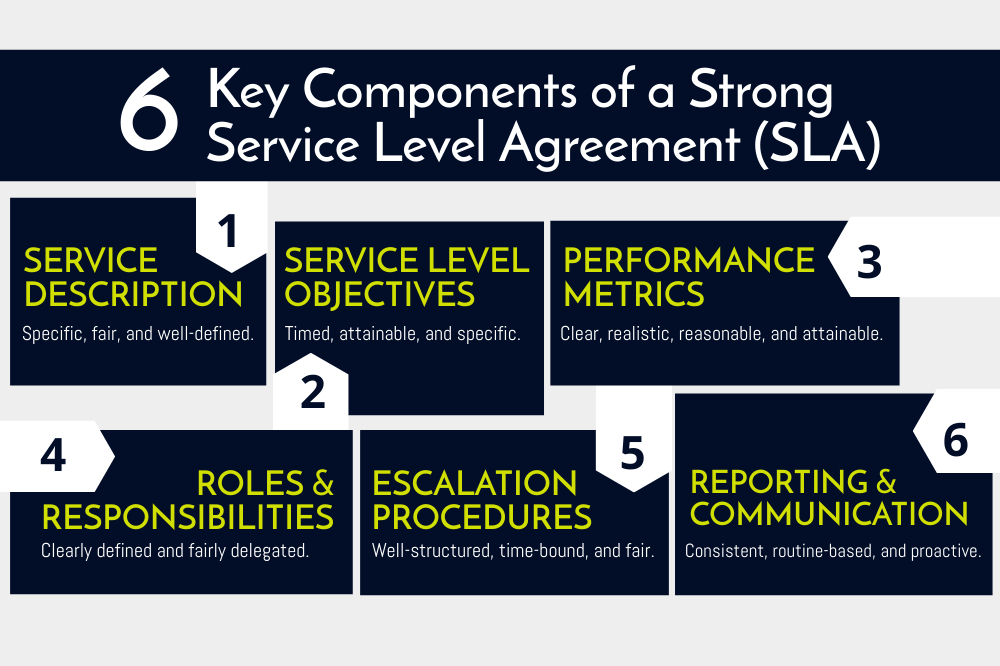
A flexible SLA can create problems when its terms are vague, leading to disputes, higher management demands, and inconsistent service quality. Flexibility sounds appealing, but it often undermines the SLA’s core purpose: establishing clear, enforceable standards. Pin down the specifics before you sign.
How Much Does Outsourced IT Support Cost?
When planning to hire outside help for your IT services, cost is one of the first things to get clear on. Outsourced IT providers offer different pricing models depending on service level and client needs.
US and UK MSP pricing: what businesses typically pay
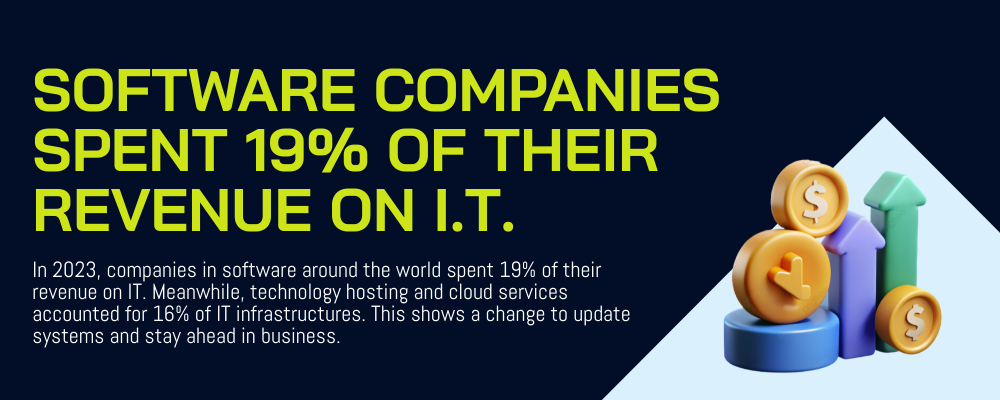
Many businesses in the US and UK use a per-user or per-device pricing model with Managed Service Providers. In the US, this usually costs $50 to $150 per user each month; in the UK, it’s £50 to £150 per user or device monthly. Factors that influence MSP pricing include:
- Security features
- Availability of support
- Number of managed devices
Monthly costs increase with 24/7 support, particularly for outsourced help desk teams. For small businesses, on-demand support comes with lower average costs but varying service quality.
How much does it cost to outsource IT support to the Philippines?
The Philippines is a leading outsourcing destination for a reason. IT support BPO prices there range from $4 to $15 per hour for basic tech support. For more complex and specialized roles, prices run from $20 to over $30 per hour. Monthly costs for dedicated employees are typically between $500 and $3,000+, depending on skill level. Common pricing models include hourly, monthly, and per-ticket. Check out the full breakdown of help desk outsourcing costs in the Philippines here.
Actual outsourced IT services cost
IT outsourcing costs mainly cover the service provider’s fees, including staff salaries and the necessary infrastructure. Watch for additional costs, like onboarding fees, that can add 10-20% more to your initial investment. Quality assurance can add an extra 15-20% of project costs, and scope creep can appear if the engagement isn’t scoped carefully from the start.
Here’s a basic list of cost categories to prepare for when outsourcing IT support:
- Service Fees: Payment for work done by IT professionals (support technicians, engineers, or developers).
- Service Desk and Support: Round-the-clock remote technical assistance, expert troubleshooting, and user support services.
- Network Monitoring and Maintenance: Oversight of server performance, network components, and endpoint devices.
- Security Services: Basic cybersecurity tools, virus protection, firewall setup, and updates.
- Data Backup and Recovery: Consistent backup schedules and disaster recovery strategies for data protection.
- Administrative/Onboarding Costs: Some service providers include basic training and onboarding in their monthly fees.
Fully managed teams generally cost more, as they cover a broader range of services like cloud management, 24/7 technical support, and proactive system maintenance.
Know these potential extras for better savings and peace of mind
IT outsourcing pricing isn’t always straightforward. There are potential extras that can appear as unplanned expenses. Being aware of hidden costs when outsourcing IT support allows you to budget accurately and protect your cost savings.
- Setup and Onboarding Fees: Initial expenses for onboarding, system integration, and establishing security measures.
- Knowledge Transfer and Training: Time and cost to train the external team on your systems, products, and company culture.
- Management and Oversight Overhead: Time spent by your team to coordinate with the vendor, including video calls and project management tools.
- Scope Creep and Change Orders: Additional fees when the project exceeds the agreed-upon specifications.
- Communication and Travel Costs: Costs for traveling to the remote team or having them visit your site, plus any secure communication tools.
- Additional Software and Hardware Licenses: Specialized software for certain projects not covered by the standard seat fee.
- Data Security and Compliance: Costs for enhanced security measures and compliance audits.
- Legal and Contractual Fees: Costs for legal services on international outsourcing agreements.
- Termination Fees: Costs of ending the contract before the agreed-upon duration.
Why Businesses Are Outsourcing IT Support to the Philippines
If you’re weighing your outsourcing options, the Philippines consistently rises to the top. The country stands out as a prime outsourcing destination for several concrete reasons. Here’s what makes it worth considering for your IT support needs.
English proficiency and communication alignment
The Philippines ranks second among Asian countries in English proficiency, covering both written and verbal communication. Outsourcing your IT support to the Philippines allows for more direct collaboration between your team and your external partners.
Help desk and technical support professionals in the Philippines are skilled at communicating in English, which means instructions, agreements, and updates move forward without misinterpretation.
Technical talent depth and certification rates
Filipinos place high value on education, and IT-related programs are among the most in-demand courses in the country. With six universities ranked among the world’s top schools, the talent pool is substantial. The country invests in both academic and technical education.
Filipino IT professionals hold globally recognized certifications including AWS, Cisco (CCNA), Microsoft Azure, CompTIA, and ITIL. That combination of academic grounding and industry certification makes them a strong choice for outsourced IT support.
Time zone coverage for global operations
The GMT+8 time zone and a culture that’s well-suited to night shifts make the Philippines practical for 24/7 coverage. North American companies get a 12-14 hour head start on tasks, and Western markets can expect support even outside their own business hours.
Up to 70% cost savings with no quality compromise
Outsourcing IT support to the Philippines can help companies save up to 70% compared to building an equivalent team locally. The country’s lower cost of living relative to the US, UK, and Australia allows Philippine-based BPO firms to offer more flexible pricing without cutting corners on quality.
Businesses consistently report that the quality of support doesn’t suffer with the savings. When you pair cost efficiency with certified professionals and strong infrastructure, the value is clear.
What 15+ Years in IT Outsourcing Has Taught Us
Digital Minds BPO, a Philippine-based business process outsourcing company with over 15 years of experience, has helped businesses across the US, UK, Australia, and New Zealand build reliable IT support teams. Our 94% client retention rate and 4.7-year average partnership duration aren’t metrics we lead with to impress. They reflect patterns we’ve observed across hundreds of client relationships. Here’s what that experience has taught us.
The biggest mistake companies make when transitioning is rushing onboarding without proper documentation. Businesses that skip this step end up with a capable team that doesn’t yet understand their specific systems, tools, or processes. The result is a slow ramp-up that feels like the outsourcing “isn’t working.” The fix isn’t talent; it’s preparation. Give your new team documented runbooks, clear escalation paths, and two to three weeks of structured knowledge transfer before go-live. The companies that do this consistently hit the ground running.
Office-based support consistently outperforms remote-only setups for security-sensitive roles. We’ve seen this pattern clearly: clients with compliance requirements (HIPAA, GDPR, PCI-DSS) experience fewer incidents and faster audit cycles when their outsourced IT team works from a managed facility rather than distributed home offices. Physical controls, secure workstations, and supervised environments matter when the data being handled is sensitive. Digital Minds BPO operates from three dedicated facilities in Naga City, specifically so clients don’t have to take that security risk on faith.
A vendor that will actually scale with you is easy to spot if you ask the right questions. Ask them about their largest single-client team. Ask how long that ramp took. Ask what their onboarding process looks like when headcount doubles in 60 days. A provider that has done it before will give you specific answers. One that hasn’t will give you general ones. Digital Minds BPO has built dedicated teams of 50 to 100+ agents for single clients; that experience changes how we approach growth conversations from day one.
Cultural alignment goes well beyond English proficiency. Language fluency matters, but so does understanding how your clients think, what they expect from a support interaction, and how they prefer to communicate when something goes wrong. Filipino professionals are known for their patience, their service orientation, and their ability to adapt quickly to different client cultures. That combination explains why so many long-term outsourcing relationships are built here.
How to Choose the Right Outsourced IT Support Provider
Six questions to ask before signing a contract
1. What are your data security protocols and compliance certifications?
A data breach can damage your business’s reputation significantly. Know how data is managed, stored, and transmitted. Ask about ISO certifications (including ISO 27001) and compliance with GDPR and CCPA. Also ask how they protect workstations against data theft using USB restrictions, monitoring, and secure remote access.
2. How do you manage recruitment, training, and employee retention?
The success of your projects depends on the quality of the talent sourced by the vendor. Request their employee retention rate, staff training processes, and how they manage turnover.
3. What methods are used to monitor the team, and what are the key performance indicators?
Check the KPIs and SLAs they use to measure quality and efficiency. Request examples of their reports, dashboards, or productivity trackers.
4. What is the overall cost and are there any hidden fees?
Hidden costs affect the ROI of your outsourced project. Ask about fixed vs. variable costs, onboarding fees, technology upgrades, and how currency fluctuations are managed in international contracts.
5. What is the process for onboarding and transitioning?
A chaotic start creates long-term problems. Review the onboarding schedule, the training materials provided, and how knowledge gets transferred from your internal team to the external one.
6. What are the termination conditions and exit plans?
Understand the steps to end a partnership if it doesn’t work out. Ask about notice requirements, penalties, and how your data, tools, and intellectual property will be handled.
Learn more about the important questions to ask your potential service provider here.
5 red flags to watch out for in an external service provider
- Lacking communication – transparency is vital for a successful IT support outsourcing project. An unresponsive provider that offers inconsistent updates creates long-term problems.
- Suspiciously low or high pricing – pricing that is outrageously high or impossibly low usually signals compromises in quality and performance.
- Low manpower quality – nobody wants to work with an understaffed team or one with high burnout rates. Low manpower quality shows up as unmotivated employees, underqualified staff, and high turnover. When attrition is embedded in a company’s culture, maintaining a competent team becomes very difficult.
- Security risks and compliance issues – outdated data security certifications mean poor compliance. When compliance fails, important data is at risk, which can damage your relationships with customers and partners.
- Operational dilemmas – a team with a track record of missed deadlines and poor project management is a clear warning sign. The same applies to a team that struggles with cultural alignment.
What Your Service Level Agreement Should Include
Signs you are ready to outsource
Wondering if outsourcing is really the right move for your business? There are reliable indicators. Here are the most common signs that you’re ready:
- Repetitive tasks are overwhelming your internal team.
- Your team’s skill sets are falling behind current demands.
- You’re missing too many deadlines.
- Scaling operations is proving difficult.
- Employee burnout is high and retention is low.
- Overhead costs are growing faster than revenue.
- Your tech infrastructure can’t keep up with business demands.
If several of those ring true, it’s time to contact a reputable service provider for your IT support needs.
Signs you need to build internal capacity first
- Your processes are disorganized and undocumented.
- The business is still in an early stage.
- Your work requires immediate, hands-on control and monitoring.
- Expectations are misaligned or there’s a tendency toward overreliance on outside help.
- The team lacks financial management experience.
- Your in-house team lacks foundational technical skills.
If you’re new to managing an IT function, strengthen your internal foundation first. Knowing what your company can handle independently makes the outsourcing decision much clearer.
Is It Time for Your In-House IT Team to Seek Outside Help?
IT support is one of the most demanding functions in any organization. Making sure it’s handled by experienced professionals isn’t optional; it’s a business requirement. Like any major decision, timing matters.
Before reaching out to a provider, get your operations organized and documented. Evaluate your in-house team’s performance, looking closely at quality and consistency. Early-stage businesses may be tempted to outsource immediately. That’s not always the right call when your core processes are still being built. When performance data starts showing clear gaps, that’s when a BPO partner starts making sense.
Why Digital Minds BPO for Outsourced IT Support
Digital Minds BPO has been building outsourced IT support teams for clients in the US, UK, Australia, and New Zealand since 2010. Over 15 years, the company has earned a 94% client retention rate and an average partnership duration of 4.7 years. Those numbers reflect something straightforward: clients stay because the work is done well and the relationship works.
Digital Minds BPO serves Fortune 500 companies including Procter & Gamble and Petron, as well as government clients like the Bureau of Customs. The company operates from three dedicated facilities in Naga City, Philippines, with 300+ professionals and the capacity to build single-client teams of 50 to 100+ agents. For businesses that need both quality and scalability, that infrastructure matters.
If your IT operations need stronger support, more coverage, or a team that can grow with your business, Digital Minds BPO is ready to help you build it. Reach out to start the conversation.
Frequently Asked Questions
1. What is outsourced IT support and how does it work?
Outsourced IT support is when a company contracts an external provider, such as an MSP or BPO firm, to handle its technology needs instead of using an internal team. Services include help desk support, network management, and cybersecurity. Businesses get expert access, improved security, and reduced costs without the overhead of hiring and managing a full internal team.
2. How much does outsourced IT support cost?
Outsourced IT support costs roughly $99 to over $500 per user monthly for managed services. Small businesses typically pay between $150 and $250 per user. Ad-hoc support runs $75 to $300 per hour, while offshore options from the Philippines typically range from $7 to $15 per hour for standard support roles.
3. What is the difference between outsourced IT support and managed IT services?
Managed IT services provide continuous, proactive system oversight, while outsourced IT support typically addresses problems as they occur and focuses on project-based solutions. Managed services are oriented toward long-term system health; outsourcing provides faster help for specific short-term issues.
4. What are the pros and cons of outsourcing IT support?
Outsourced IT support reduces costs, gives you access to specialized expertise, and provides around-the-clock coverage. The trade-offs include less direct visibility into daily operations, potential communication challenges if the wrong partner is chosen, and the need for strong contractual protections around data security. The right partner makes those trade-offs manageable.
5. What IT services are most commonly outsourced?
Help desk support, cybersecurity, cloud services, network management, and software development are the IT functions businesses most frequently outsource. Help desk and end-user support tends to be the most common starting point because the volume is high and the ROI on outsourcing is immediate.
6. How do I know if my business is ready to outsource IT support?
Consider outsourcing when your team is consistently overwhelmed, technical problems are slowing growth, or you need specialized capabilities like 24/7 coverage or cybersecurity that are too expensive to build in-house. If IT costs are unpredictable and demand is growing, outsourcing is worth a serious look.
7. Is outsourced IT support secure? How is data protected?
Yes, outsourced IT support can be as secure as an in-house team when the vendor uses strong protocols. Data is protected through encryption, multi-factor authentication, regular audits, and compliance with ISO 27001 and GDPR. Vet your vendor carefully, sign a clear NDA, and confirm their physical and digital security controls before starting.
8. What should I look for when choosing an outsourced IT support provider?
Look for proven industry experience, strong security certifications, 24/7 support availability, and clearly defined SLAs. Also ask about their onboarding process, employee retention rates, and how they handle scaling. A provider that gives you specific answers to those questions is one that has done this before.
9. Can outsourced IT support replace an in-house IT team?
Yes, outsourced IT support can fully replace an in-house team for many businesses, particularly small and mid-sized companies that want to reduce costs, gain 24/7 coverage, and access specialized skills without the expense of hiring and training their own staff. Whether it’s the right approach depends on how much company-specific institutional knowledge your IT function requires.
10. Why do businesses outsource IT support to the Philippines?
Companies outsource IT support to the Philippines primarily for cost savings of 60-70% compared to equivalent local hiring. The country offers a large pool of English-proficient, certified IT professionals, strong government support for the BPO sector, and a culture well-suited to night shifts and 24/7 coverage. Combined, these factors make the Philippines one of the most reliable destinations for IT outsourcing globally.

Charvel Rebagay is the CEO and Founder of Digital Minds BPO, a Philippines-based outsourcing company he established in 2010. Based in Naga City, he works directly with clients and teams daily to ensure service quality across every engagement. With over 15 years of experience building and managing dedicated teams for businesses worldwide, Charvel has helped hundreds of companies scale their operations through skilled Filipino professionals. Under his leadership, Digital Minds BPO operates 3 dedicated facilities with a 94% client retention rate, serving Fortune 500 clients including P&G and Petron.